Digital Twin: Securely combine digital and handwritten signatures
The Digital Twin links your document to its digitally signed original, keeping its electronic certificates verifiable even after printing.
- Electronic certificates remain accessible and verifiable at any time for potential court cases
- Combine digital and handwritten signatures in one document
- Simply scan the QR code on the printed document to verify the electronic certificate
Digital Twin
What is a Digital Twin?
Certifaction’s Digital Twin links a document to its digitally signed original and the associated electronic signature certificate.
When an electronically signed document is printed, the digital signature certificates can no longer be verified from the printed document alone. As a result, it is no longer possible to prove in court that this exact document was signed. What many people do not know is that in court, it is the electronic certificate, rather than the visual signature, that serves as evidence.
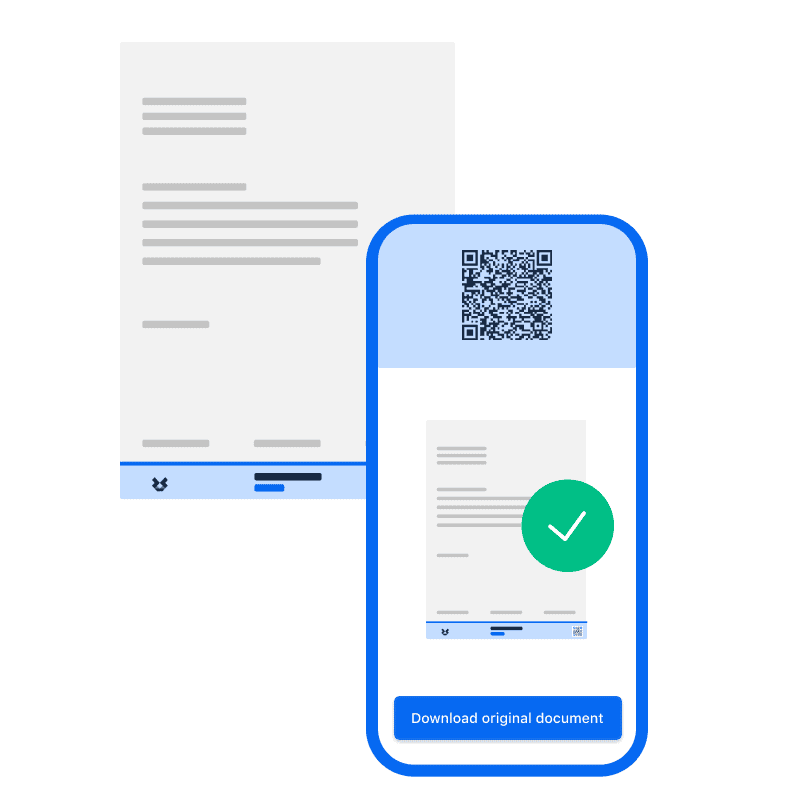
The Digital Twin solves this problem: a QR code on the document creates a connection to the digitally signed original and its electronic certificate.
By scanning the QR code, users can access and verify the digitally signed original and the associated information using a smartphone and a standard browser, without any additional app.
In short: The Digital Twin ensures that the electronic proof of a digitally signed document remains accessible and verifiable, even after the document is printed.
Evidence on paper
The electronic proof stays connected to the document
Electronic signatures contain information that allows the signature and the integrity of the digital document to be verified. With a standard printout, however, this digital information is no longer accessible from the paper itself.
The Digital Twin creates a connection between the printed document and the digital original. Via the QR code, the digitally signed original can be accessed at any time and the associated signature certificates can be validated.
The benefits
- Electronic signature certificates remain accessible even after printing
- Digitally signed original accessible at any time
- Verification via smartphone and standard browser
- No additional app required
- Digital copy available on demand
In 5 steps
How the Digital Twin works
1. Sign the document electronically
The document is signed electronically with Certifaction.
2. Create the Digital Twin
The Digital Twin is linked to the document. A QR code creates the connection to the digitally signed original.
3. Use the document digitally or print it
The document can be sent digitally or, when needed, printed and incorporated into a paper-based process.
4. Scan the QR code
Using a smartphone camera, the QR code can be opened directly in a standard browser without any additional app.
5. Verify the digital original
The digitally signed original and the associated signature information can be accessed and validated.
Electronic proof remains verifiable, even after printing
For important contracts and documents, it may be necessary to verify at a later stage which digital original was signed and whether it remains unchanged.
Even if a document is subsequently printed or physically passed on, the Digital Twin maintains the connection to the digitally signed original. Relevant information about the electronic signature and the integrity of the digital original can therefore still be accessed and verified.
Signature levels
SES, AES or QES: the right electronic signature (ZertES & eIDAS)
Certifaction supports different signature levels for different requirements:
Simple Electronic Signature (SES)
For processes with lower requirements for identifying the signer.
Advanced Electronic Signature (AES)
For use cases with higher requirements for identity and verifiability.
Qualified Electronic Signature (QES)
For processes with particularly high legal requirements. The QES meets the written form requirement and is, as a rule, legally equivalent to a handwritten signature.
It is important to distinguish between the two: The Digital Twin does not replace the electronic signature and does not determine its signature level. Its purpose is to keep the connection to the digitally signed original and the associated electronic proof accessible, even when transitioning between digital and paper.
Digital and paper
One document. Two worlds.

Combine digital and handwritten signatures
In practice, signing processes are not always fully digital. A document can, for example, first be signed electronically, then printed and subsequently signed by hand by another person.
The Digital Twin supports exactly these hybrid processes. The QR code on the document maintains the connection to the digitally signed original and its electronic certificates. This allows digital and paper-based steps to be combined within the same document process.- Sign the document electronically
- Automatically connect the Digital Twin to the document
- Print the document when needed
- Add further handwritten signatures
- Access and verify the digitally signed original via the QR code
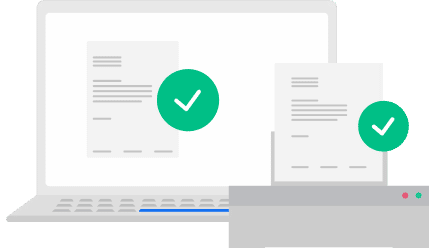
Digital and paper, without loss of information
Even in digitalized organizations, paper remains part of many workflows. The Digital Twin makes it possible to use electronic signatures without having to eliminate every paper-based process.
- Sign documents electronically and then print them
- Combine electronic and handwritten signatures
- Connect the printout to the digitally signed original
- Access the digital original at any time via the QR code
- Keep electronic signature certificates verifiable
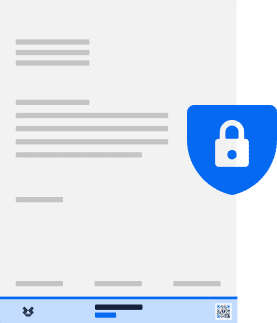
Privacy First, also for the Digital Twin
Confidential documents should remain confidential throughout the electronic signing process.
That is why Certifaction follows a Privacy First approach with Zero Document Knowledge and End-to-End Encryption. Document contents are processed locally and encrypted before they reach Certifaction’s systems. As a result, Certifaction cannot access the confidential contents of your documents.Privacy by Design- End-to-End Encryption
- Zero Document Knowledge
- Confidential document contents remain unreadable for Certifaction
- Hosting on ISO 27001-certified servers in Switzerland
- Digital Twins can also be stored on your own servers
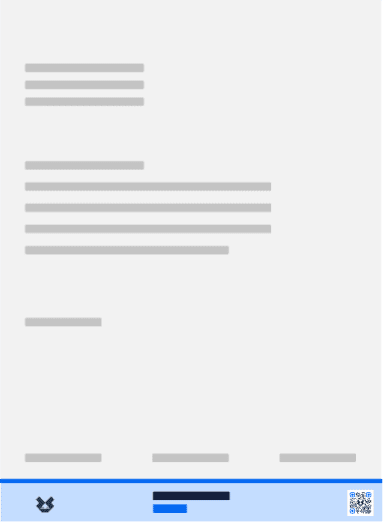
The Digital Twin in your branding
Verification can also become part of your own digital customer experience. Adapt the presentation to your brand.
- Signature card in your own branding (logo and color)
- Verification through your digital customer journey
- Integration into existing processes
Immediately available via Web App
Try Certifaction for free
See how electronic signatures and the Digital Twin connect digital and paper-based document processes.
Create an account
Register in just a few steps.
Test electronic signatures
Try the Certifaction eSigning platform directly.
Connect digital and paper
Make digitally signed documents verifiable even after printing with the Digital Twin.
FAQs
FAQ about the Digital Twin
What is a Digital Twin for electronic signatures?
Certifaction’s Digital Twin links a document via a QR code to its digitally signed original and the associated electronic signature certificates. This keeps the electronic proof accessible and verifiable even when the document is printed.
What happens to an electronic signature when the document is printed?
With a standard printout, the digital signature certificates can no longer be verified from the printed document alone, which means the digital signature can no longer be proven in court. The Digital Twin connects the printout via a QR code to the digitally signed original, allowing the electronic signature certificates to remain accessible and verifiable.
Can I combine electronic and handwritten signatures?
Yes. A document can, for example, first be signed electronically, then printed and subsequently signed by hand by another person. The Digital Twin maintains the connection to the digitally signed original via the QR code.
Is the Digital Twin the same as an electronic signature?
No. The electronic signature and the Digital Twin serve different purposes. The electronic signature is used to sign a document electronically. The Digital Twin complements this process by keeping the connection to the digitally signed original and its electronic signature certificates accessible, even after transitioning between digital and paper.
Is an electronic signature as legally valid as a handwritten signature?
That depends on the signature level and the applicable legal requirements. Certifaction supports SES, AES and QES. The Qualified Electronic Signature (QES) meets the written form requirement and is, as a rule, legally equivalent to a handwritten signature.
How can a printed document be verified?
The QR code on the document can be scanned with a smartphone camera. A standard browser then provides access to the digitally signed original and the associated signature certificates for verification. No additional app is required.
Do I need special software for verification?
No. A smartphone with a camera and a standard browser are sufficient. No additional app is required.
How does Certifaction protect confidential documents?
Certifaction follows the Zero Document Knowledge principle. Documents are processed locally and encrypted end-to-end, which means Certifaction cannot access the confidential contents of your documents.
Haben Sie weitere Fragen?
Your path to the future
Electronic signatures for digital and paper-based processes
With Certifaction, you combine electronic signatures, data protection and the verifiability of digitally signed documents, even when transitioning between digital and paper.