Bulk Signing

Send multiple documents to different signers
  • Send multiple documents for signing with one click
  • Send the request to various recipients simultaneously
  • Signers can sign all documents at once
  • Save time for yourself and your invited signers
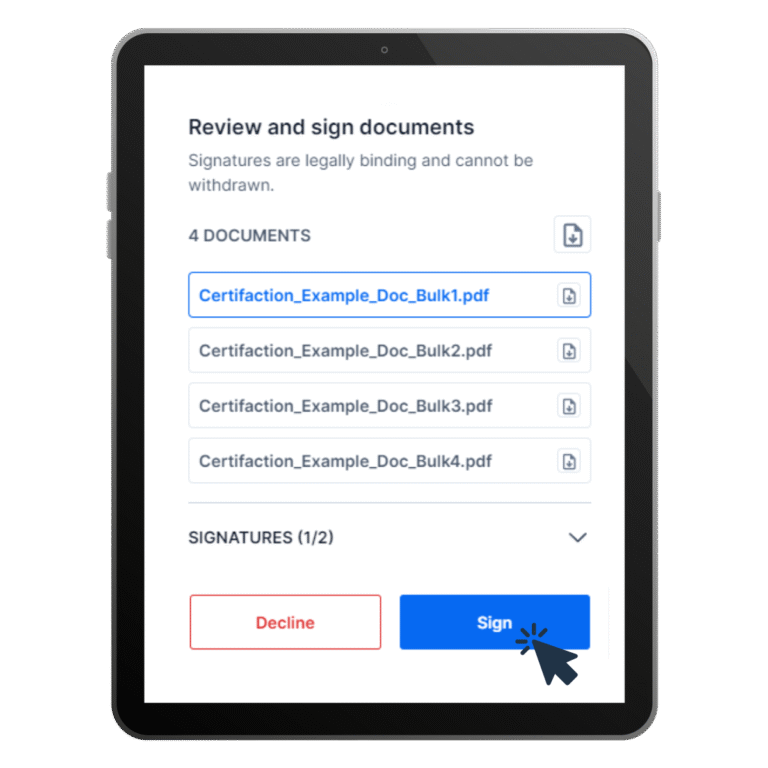
Tablet with a document review and signing interface: a list of four PDF documents with Decline and Sign buttons

Discover now

Bulk Signing: Sign and countersign multiple documents

Who hasn’t experienced this in their day-to-day work? A signature process often involves several contracts or documents that all need to be signed, which can be tedious and time-consuming. Digital signatures rationalise work processes. That’s why Certifaction offers batch signatures. With one click, you can send up to 200 documents to multiple signatories at once.

Bulk signing

How to get started

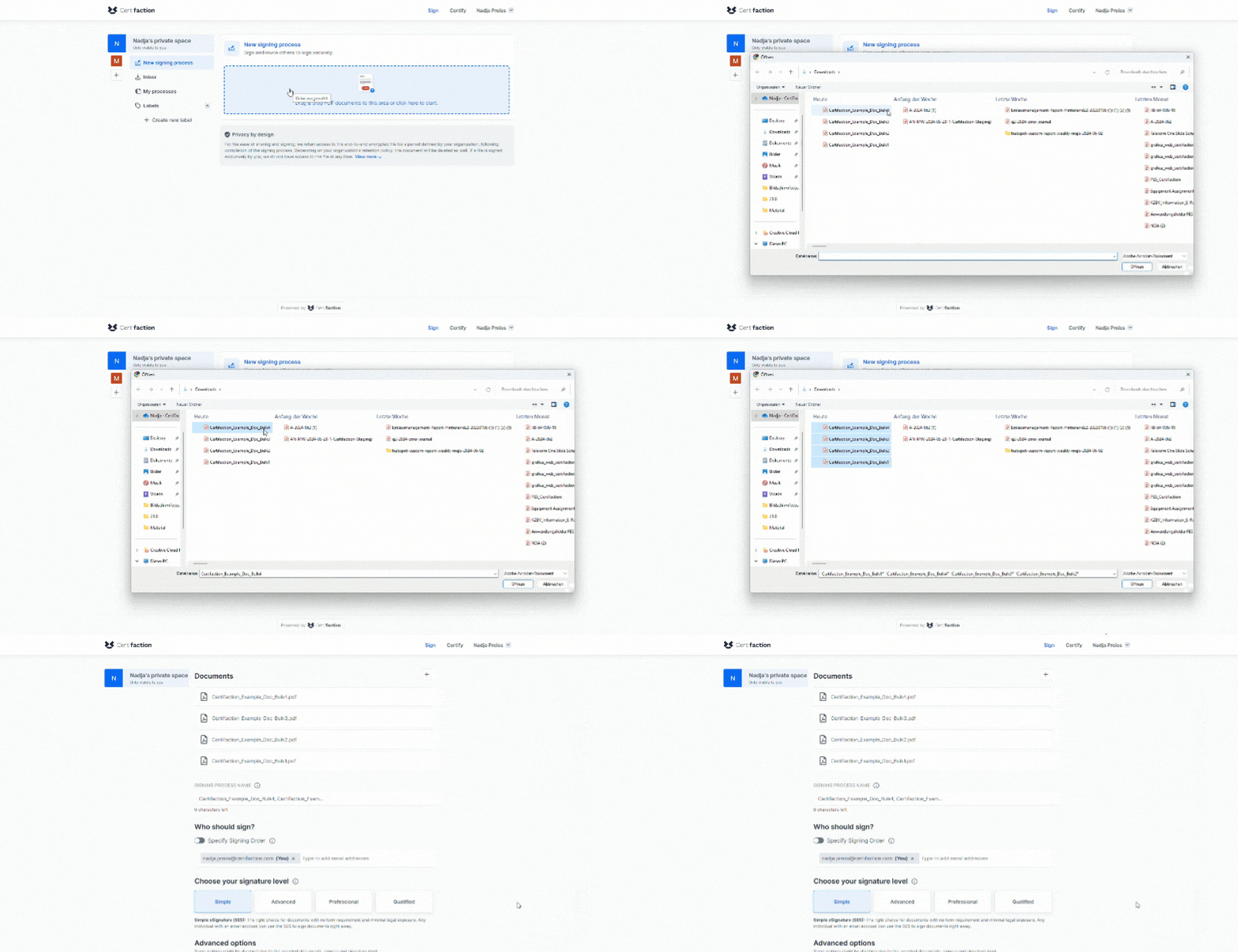
Add all documents

Add all desired documents by drag & drop or click on the + button and select documents from your computer. You can create the signature request with just a few clicks.
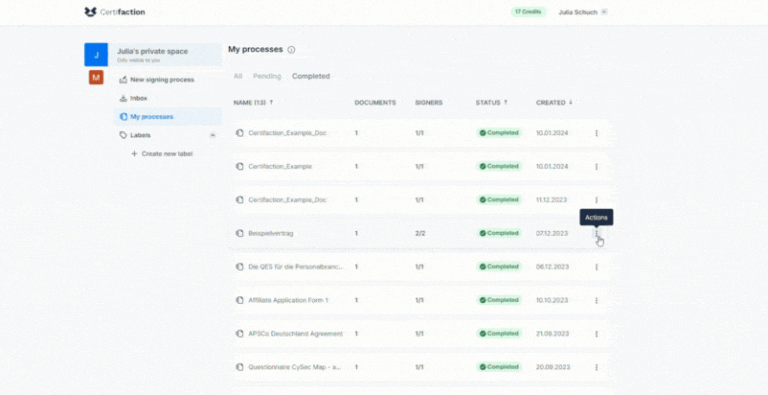
Certifaction interface showing completed processes under My processes
Certifaction interface with the New signing process area for uploading documents

Add signers

Add the signatories with their email addresses. Place the signature manually or on an additional page and then send the signature requests to the recipients by email. You can add a personal message to the request.

Manage and monitor the signing process

Under “My processes”, or “Our processes” if the document was sent from a Teamspace, you can monitor the status of the signatures. When these are complete, you can retrieve the documents by clicking on “Download”. You will also receive an email notification when all signatures have been completed.
Certifaction interface showing completed processes under My processes

Immediately available via Web App

Discover Certifaction now as a free trial version

Create an account

Sign up in 30 seconds, with no strings attached (and no spam).

Try for free

Explore the user interface and features.

Save time and money

Speed up your signature process with protected privacy.

FAQs

Our answers to the most frequently asked questions

No, you simply have to select and add the documents to be signed – whether web app or API integration.
Certifaction can process up to 200 documents per signature process. With such a high volume, however, you should expect corresponding processing times (it can take up to 6 minutes).
If you want to invite a large number of signatories, the API integration is the right choice for you, as there is no limit to the number of signatories. In the web app, you can manually place up to 50 signatories on the document. If you insert the signatures automatically into a new page, this works for a maximum of 8 signatures.
You can download documents once they have been signed by all invited signatories. If you are the initiator of a signing process, you can check the status of the signatures under “My processes”. If the process was sent from a Teamspace, the members of this Teamspace can access the documents in the shared area “Our processes”.

Do you have any other questions?