Clear Roles for Secure and Efficient Signing Processes

Signing and Non-Signing Roles
  • Signers sign the document or reject the signature.
  • Observers get notified when their step is reached and when the process completes and can view the document but cannot influence the process.
  • Approvers approve or reject when their step is reached. Do not modify the document but control the process flow. Cannot be in the same step as signers.
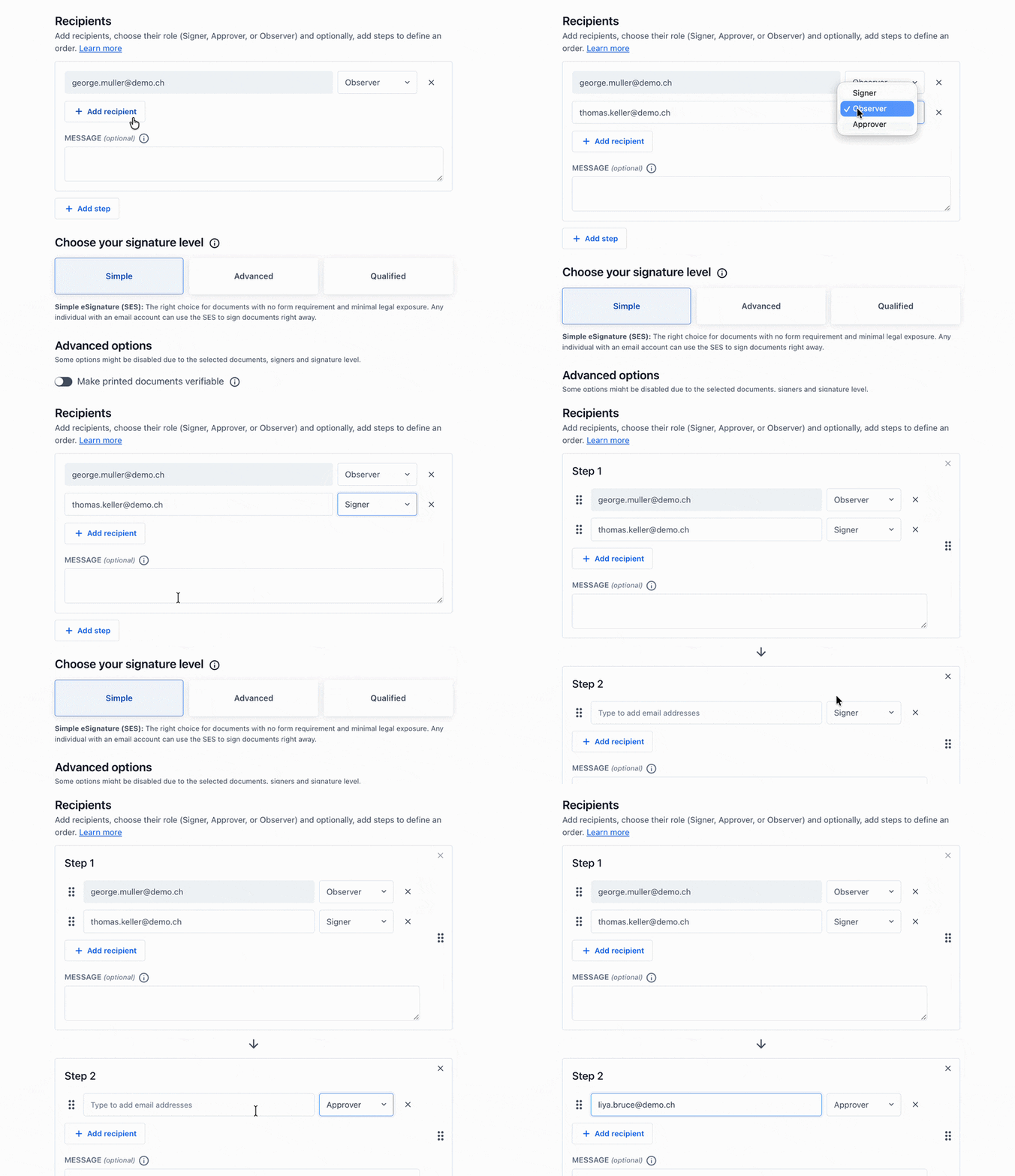
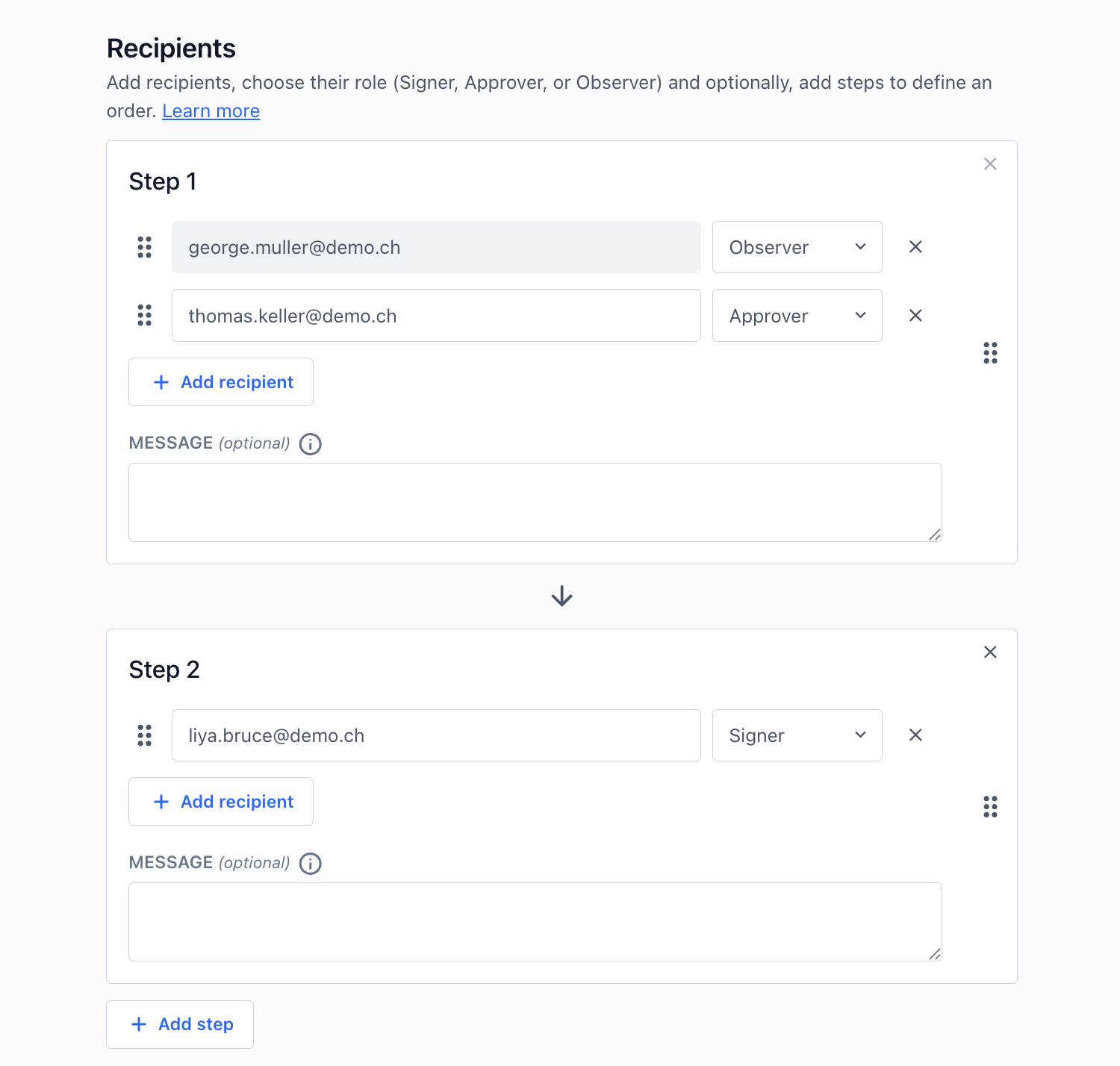
Empfängerverwaltung in zwei Schritten mit Demo‑E‑Mails, Rollenauswahl (Observer/Approver/Signer) und optionalem Nachrichtenfeld.

Discover now

Control in the Signing Process: Role Models for Approving, Observing, and Actively Signing

The role model ensures transparency and efficient workflows in the signing process. In addition to signers, approvers and observers can also be directly integrated into the process.

All participants receive exactly the role they need within the workflow, whether signing, actively approving, or transparently following the process. This creates clear and traceable procedures with defined responsibilities, reduced coordination effort, and complete documentation from the start of the process to the final signature.

Apply role models

Define recipients and roles

Add recipients

Initiate the signature process by adding a document. Then add the required signatories and process participants. You can choose to place recipients in steps. Recipients in the same step receive the invitations simultaneously.
Empfängerformular mit E‑Mail george.muller@demo.ch als Observer, Add recipient‑Schaltfläche und aktivem Signaturlevel "Simple".
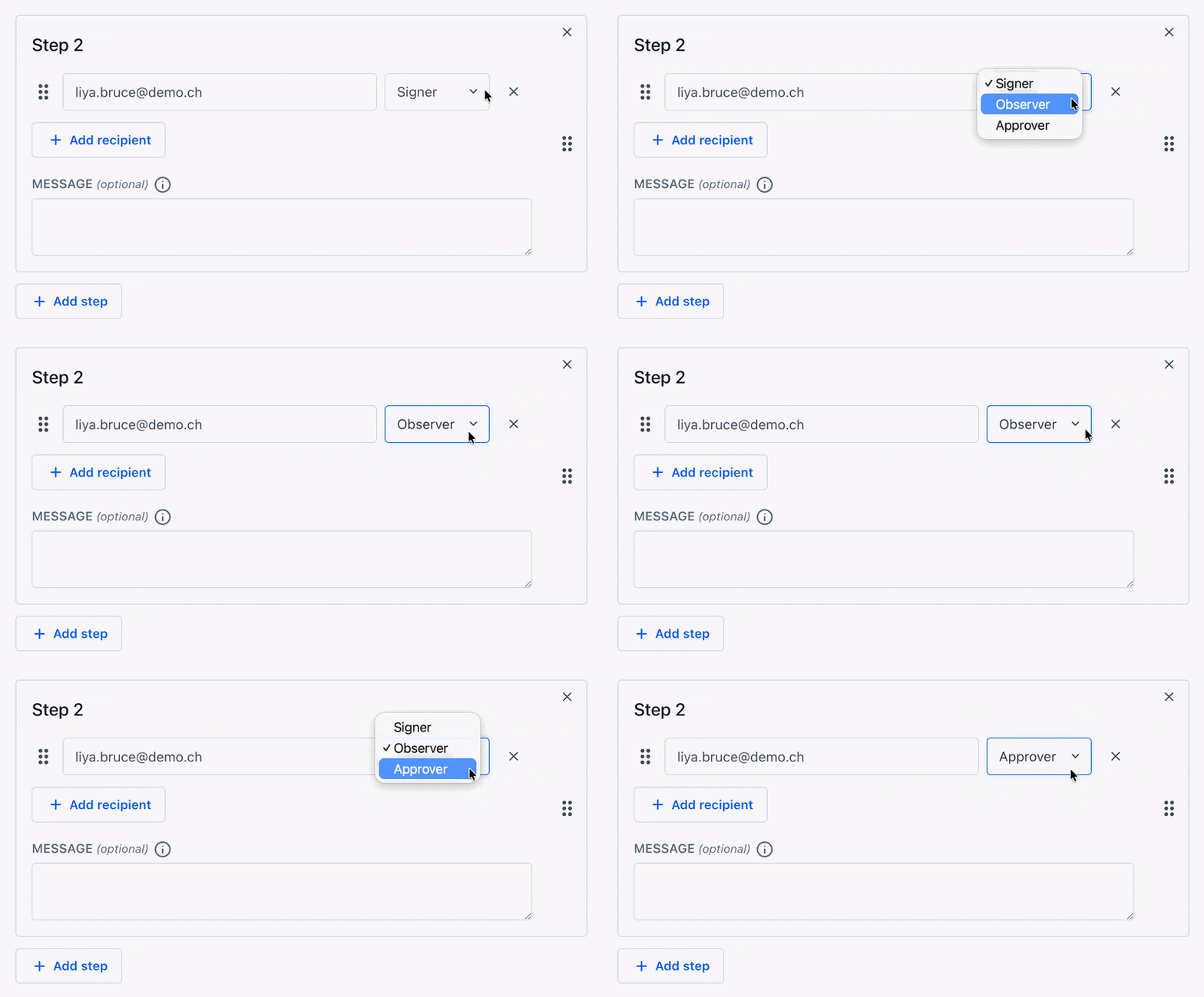
Panel 'Step 2' mit Empfänger liya.bruce@demo.ch, Rolle Signer, Buttons 'Add recipient' und 'Add step' sowie Nachrichtenfeld.

Assign roles

Each participant is assigned a role:
  • Signer
  • Observer
  • Approver
There is also the option to send a personal message to recipients in the same step. Important to know: Approvers and Signatories cannot be in the same step.

Immediately available via Web App

Discover Certifaction now as a free trial version

Create an account

Sign up in 30 seconds, with no strings attached (and no spam).

Try for free

Explore the user interface and features.

Save time and money

Speed up your signature process with protected privacy.
Individual roles in the signing process

View for Recipients

Sign documents

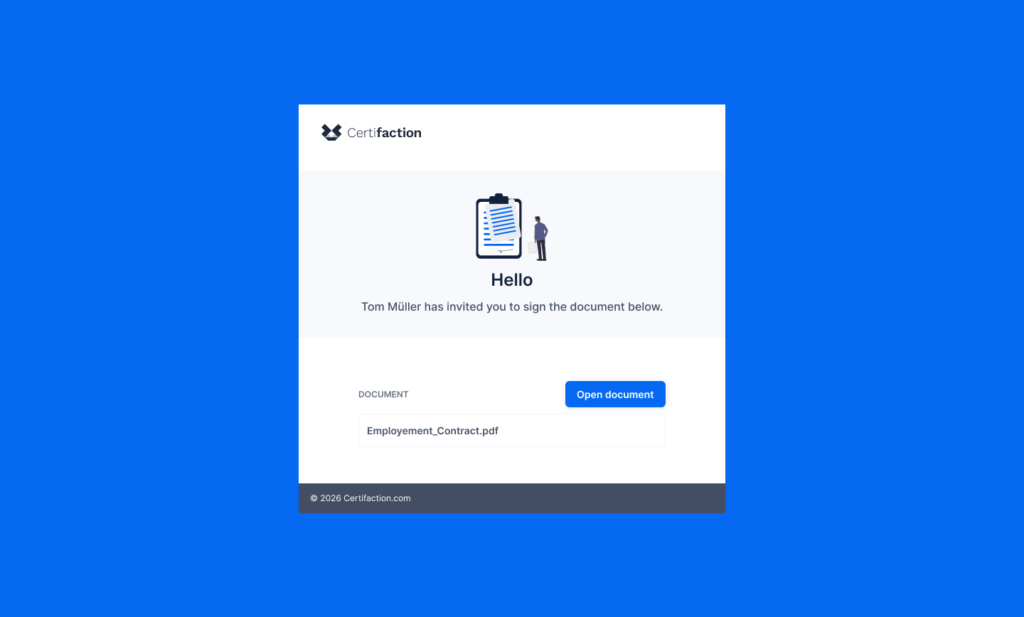
Recipients with signing roles will receive an email notification inviting you to sign a document. Open the link and sign the document.
Einladungs-E‑Mail von Certifaction auf blauem Hintergrund mit Icon, Begrüßung, Open document‑Button und Datei Employment_Contract.pdf
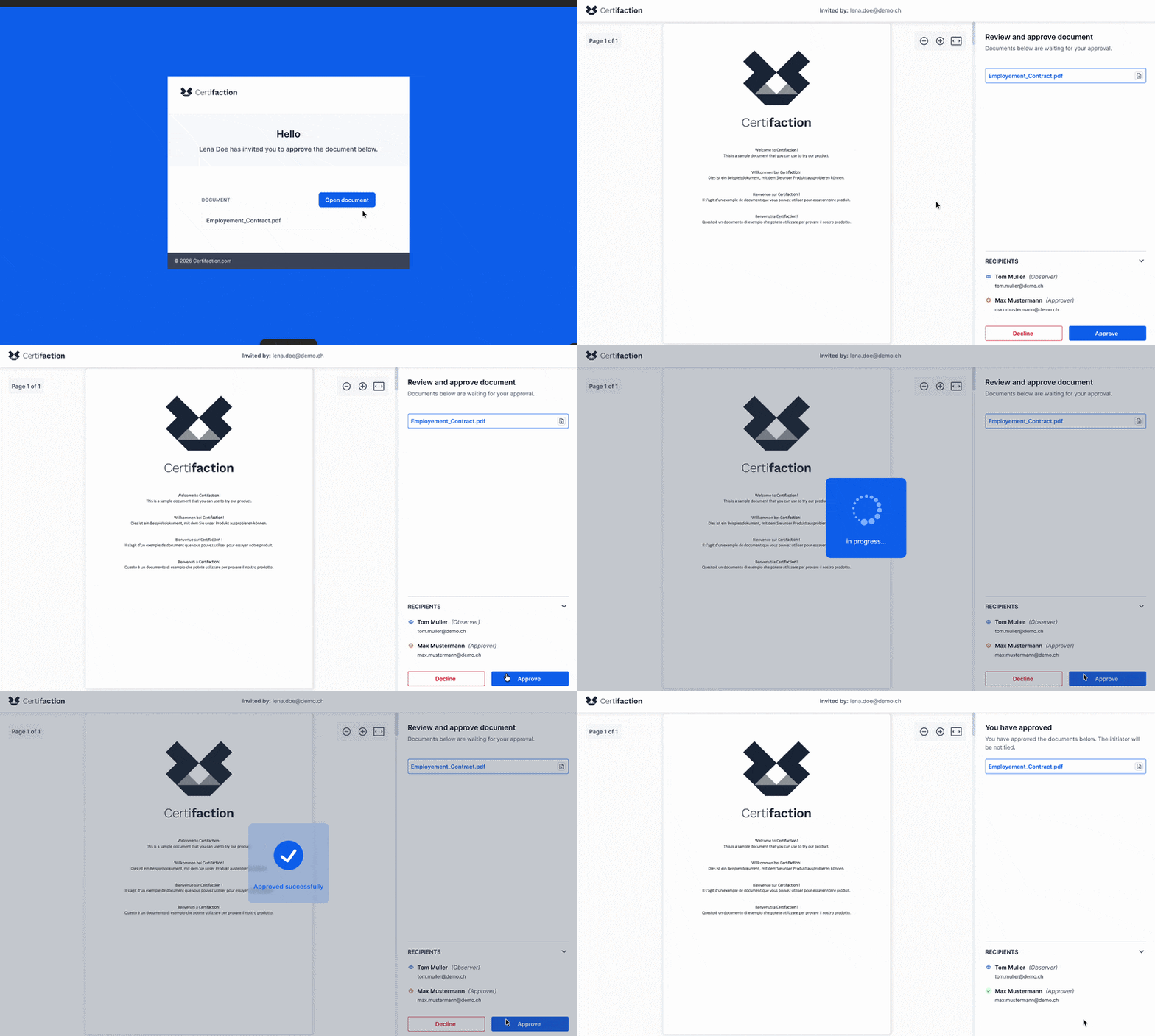
Zentrierte weiße Karte auf blauem Hintergrund von Certifaction mit 'Hello'-Überschrift, Einladung zur Dokumentgenehmigung, blauem 'Open document'-Button und Dateiname Employment_Contract.pdf.

Grant approval

Recipients with approver roles will receive an email notification informing you that you have been assigned as an approver. Open the link and approve the process step or the document.

Observe the process

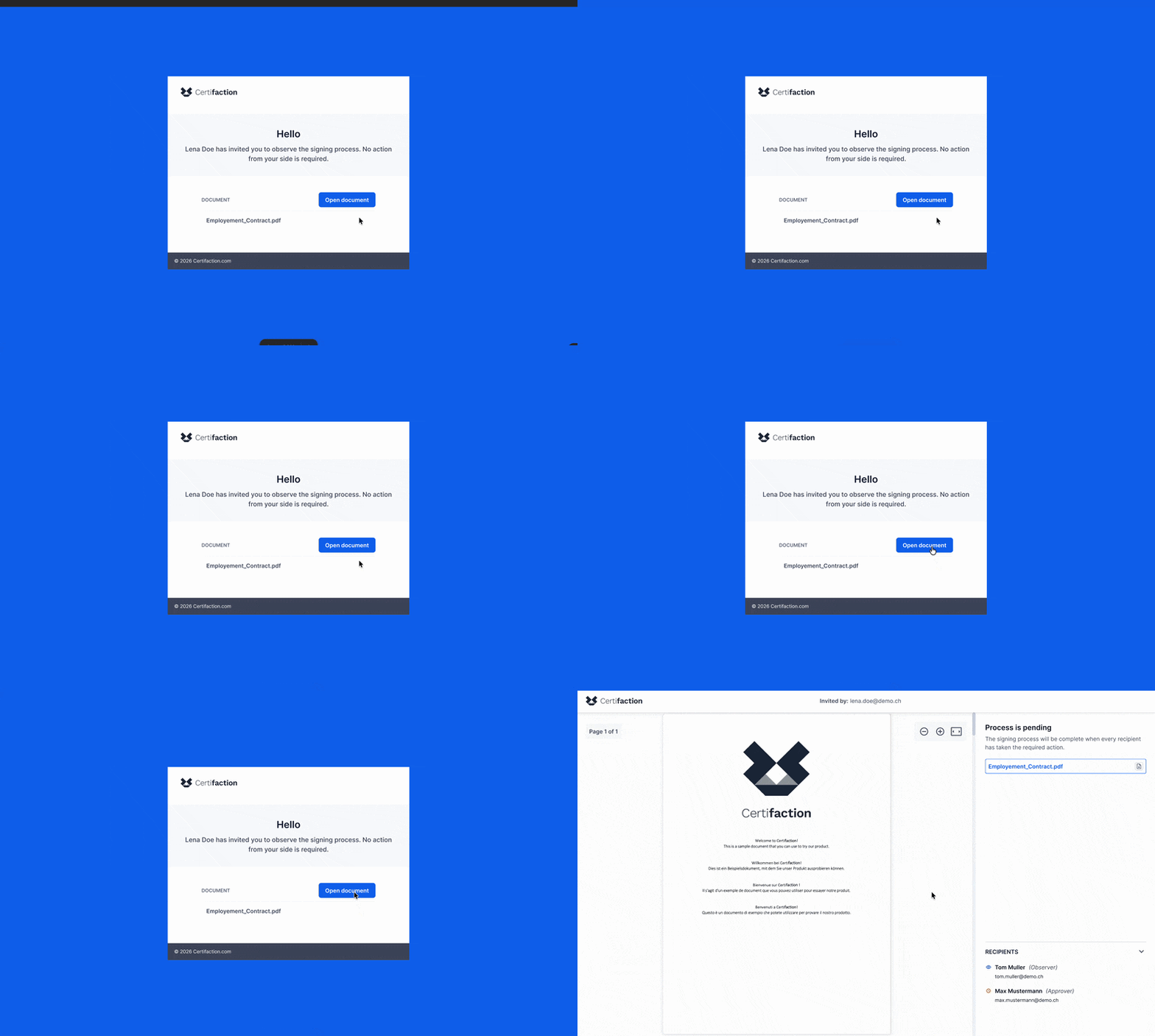
Recipients with observer roles will receive an email notification once their step is reached. Open the link to view the document. Once completed, you will receive an email and can download the fully signed document.
Certifaction-Dialog: Einladung, den Unterzeichnungsprozess zu beobachten; Datei Employment_Contract.pdf mit "Open document"-Button.

FAQs

Our answers to the most frequently asked questions

Signers sign the document or reject the signature.

Observers get notified when their step is reached and when the process completes and can view the document but cannot influence the process.

Approvers approve or reject when their step is reached. Do not modify the document but control the process flow. They cannot be in the same step as signers.


This ensures that each person involved is assigned exactly the role they need in the process. The person initiating the signing process also defines the roles.

Yes. Approvers can approve or reject a defined process step or document. The approver reviews and approves the document before it is sent to other recipients, or to approve the completed signatures before the process is finalised.
No. Observers have an informational role only. They cannot modify, stop or approve the process. They are notified when their step is reached and receive a further notification once the signing process has been completed.
Typical use cases include:
  • Internal approvals prior to contract signature
  • Involvement of Legal or Compliance
  • Transparency for executives or project leads
  • Documented four-eyes principle processes
This keeps workflows structured, traceable and efficient.
Yes. Approvers and observers can be flexibly assigned to individual process steps. This enables even complex approval workflows with multiple participants to be clearly structured.
Yes. As soon as a person is assigned as an approver or observer, they receive an email notification with direct access to the process. In case of several steps, the recipients are notified once it is time for them to do their action. Once completed, the fully signed document is also made available.
No, quite the opposite. Clearly defined roles and structured approval steps reduce coordination effort and increase transparency. Observers provide visibility without slowing down the workflow.

Do you have any other questions?